Your online farm store is your top salesperson. Strong product photos build trust, show quality, and help customers decide to buy without asking a single question.
If you are refreshing an older store or building a new one, learning how to take pictures for an online store is one of the highest-impact things you can do.
Good online storefront photography does not require a studio or expensive gear. It just needs the right approach.
Why great product photos matter for farm e-commerce
Shoppers cannot touch or smell your food. Photos do that job for you.
Strong farm product photos help you:
- Show freshness and quality at a glance
- Build credibility for first-time buyers
- Reduce questions and abandoned carts
- Increase important farm sales metrics like average order value (AOV)
If you create a farm website that looks professional, customers assume your operation is too.
This applies whether you are selling vegetables online, meat, eggs, baked goods, value-added products like jam and honey or any other sort of crops. Grocery photos shape buying decisions more than almost any other element on your site.
6 tips to take professional product photos for your food or farm business
Here are our six top tips to take the best product photos for your food or farm ecommerce website.
1. Use the best camera you already have
You do not need an expensive DSLR camera to get started.
Most modern smartphones can produce best quality photos online when used correctly. What matters more than the device itself is:
- Sharp focus
- No grain or blur
- High resolution
- Good lighting
If a picture looks fuzzy or pixelated, don’t use it. Fixing poor image quality is difficult after the fact.
Quick product photography setup tips:
- Clean your lens before taking photos
- Use the rear camera, not the selfie camera (the rear camera produces better quality photos)
- Turn on grid lines in your camera app to help with framing
- Avoid zoom and move physically closer instead
This alone will dramatically improve how your food product images look.
2. Photograph your best-looking farm or food products
This is not the time for ugly produce.
When taking photos of products to sell online, choose items that are:
- Bright in color
- Free from major blemishes
- Representative of what customers will receive
You can be honest without being unpolished. Customers want real food, but they also want confidence in what they are buying.
Decide how you want to show each product:
- Single item or a group
- Raw or prepared
- In packaging or loose
Be consistent across similar products. This helps your store feel organized and professional.
3. Use a simple, clean background
Backgrounds should support the product, not compete with it.
Good background options for farm and food product photography include:
- Wooden tables
- Cutting boards
- Neutral fabric
- Outdoor farm settings
Farm photos and pictures of farms work well when they feel natural and not staged. A local made photo style usually performs better than overly polished stock food photography.
Avoid clutter. The product should always be the main subject in the frame.
Should you use a white background for food product photography?
If you want clean catalog-style images, white boxes for food product photography work very well. These are small lightbox setups that create even lighting and a pure background.
White backgrounds are ideal for:
- Jars and bottles (E.g. dairy products)
- Packaged products
- Eggs
- Meat, fish and frozen goods
4. Use natural light whenever possible
Lighting is the biggest difference between average and professional food images.
Best practices for food product lighting:
- Shoot near a window
- Avoid direct midday sun
- Turn off overhead lights
- Never use flash
Overcast days are perfect for taking photos of products. You get soft light without harsh shadows.
If you see strong shadows, move the product or adjust your angle slightly.
5. Think about composition
You do not need formal training, but composition matters.
When taking product images, focus on:
- One main subject
- A clear foreground and background
- Slight angles instead of straight overhead
- Multiple shots from different perspectives
Take more pictures than you think you need. You can always delete later.
This is the easiest way to improve your ecommerce product photos without extra tools.
6. Keep product photo styles consistent
Consistency is what makes your store feel credible.
Aim for:
- Similar lighting across products
- Similar backgrounds
- Similar crop and framing
- Similar editing style
Even simple pictures look professional when they follow the same visual pattern.
This is what you see in the best farm ecommerce stores that perform well.
Looking for social media product photo tips? Read our article on how to take farm product photos on Instagram
Example product photos from real farm websites
Seeing how other farms present their products can help you decide on lighting, angles, and backgrounds that feel natural and trustworthy. Below are real examples of product photography used by farms and vendors selling through online storefronts.
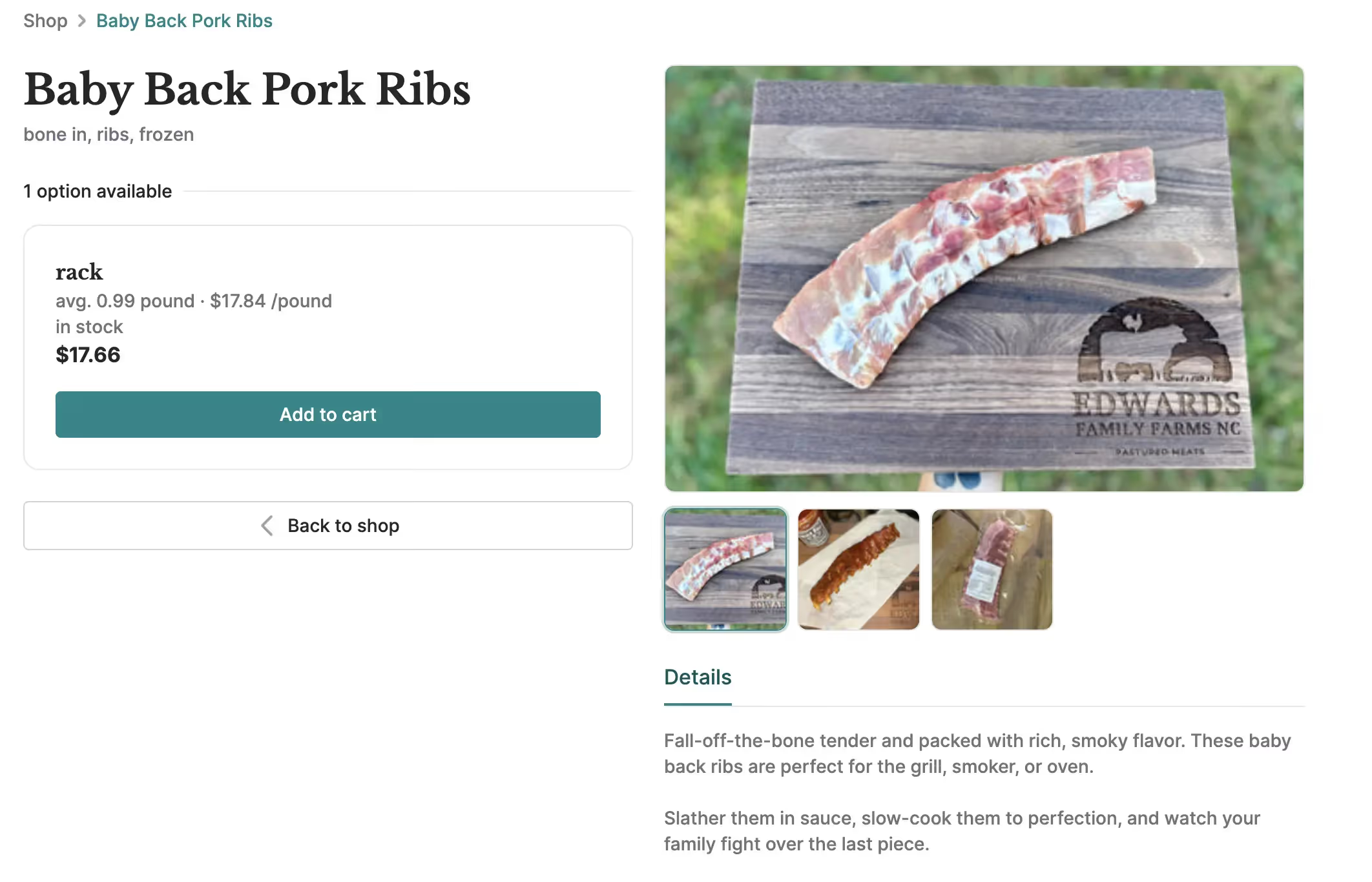
Meat product photo example from a farm store
This type of photo works well for meat products because it keeps the focus on texture, freshness, and portion size. A simple cutting board, outdoor light, and close framing make the product feel real and high quality.
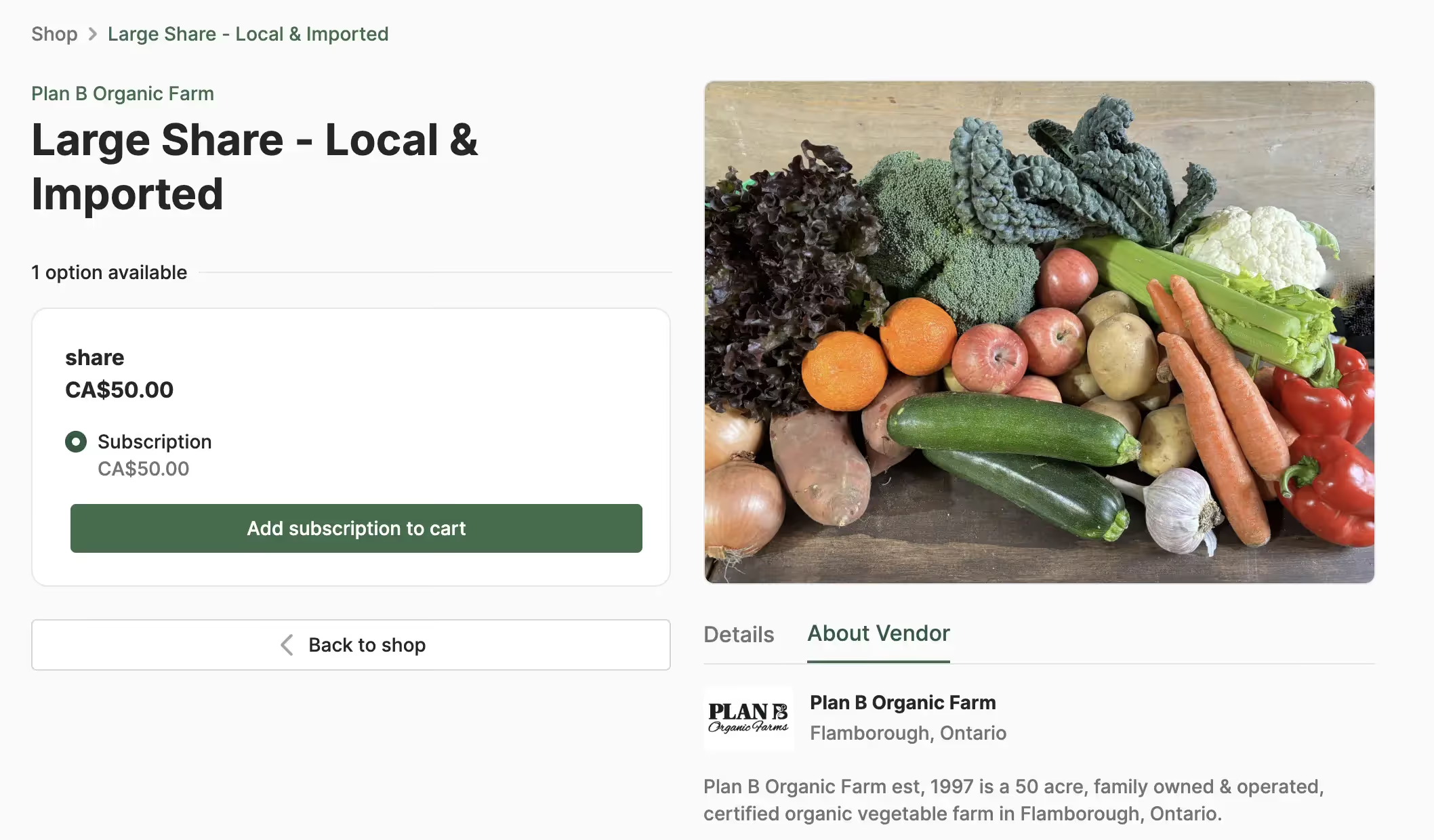
CSA share product photo example with fresh produce
Product photos that show multiple items together help customers quickly understand what they will receive. This works especially well for CSA shares, subscription boxes, produce bundles, and mixed boxes since it highlights variety and overall value at a glance.
Flower product example from a farm vendor
Flower vendors often use close ups and grouped arrangements to highlight color, shape, and fullness. This style works well for single varieties, mixed bundles, and seasonal assortments.
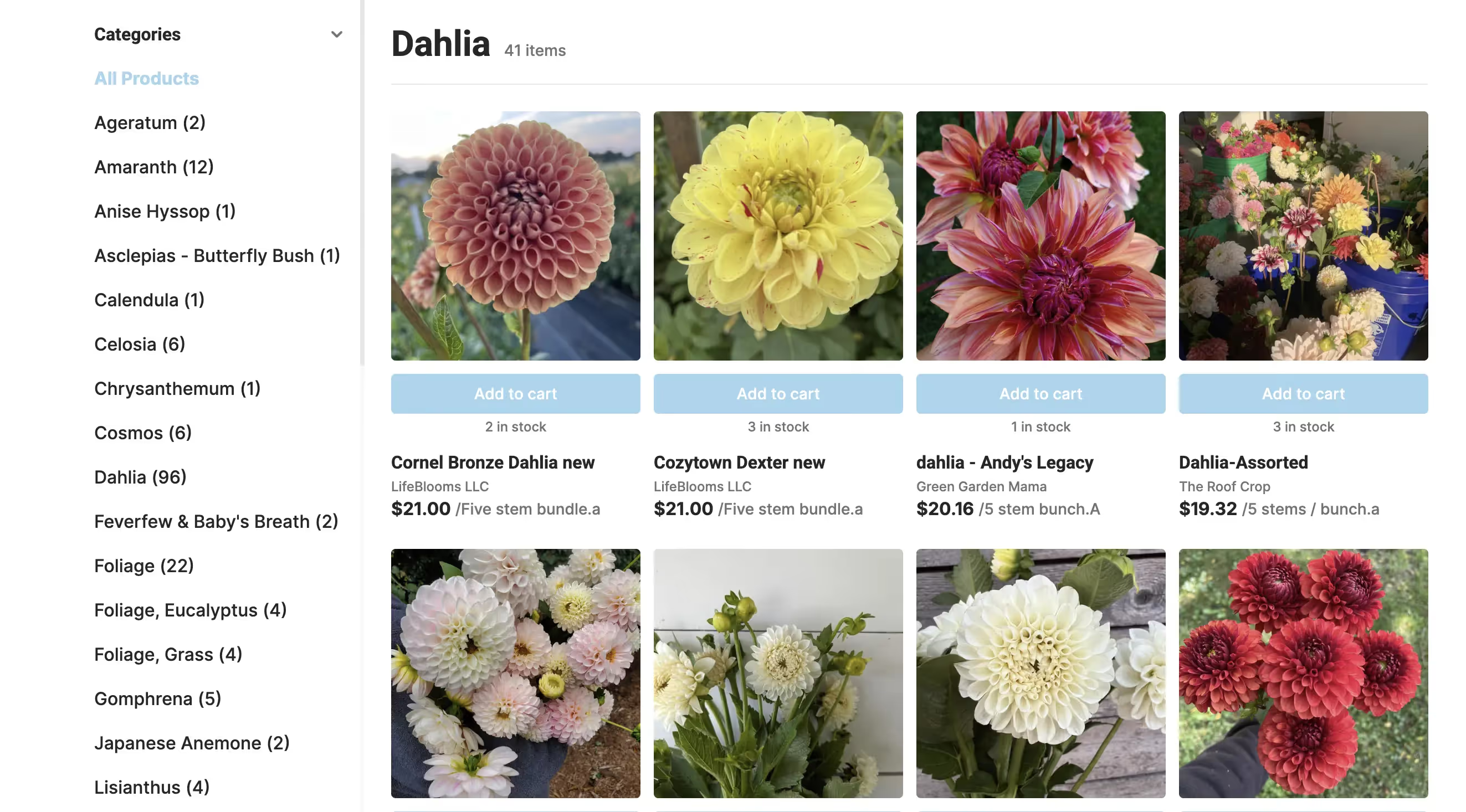
These examples show that strong product photos do not require complex setups. Natural light, clean backgrounds, and a clear focus on the product are often enough to create images that build trust and help customers buy with confidence.
When should you hire a professional photographer to take photos of your farm products?
If your farm is scaling or your online store drives serious revenue, professional photography can be worth the investment.
A professional food & product photographer can give you:
- Professional product photos
- Lifestyle farm photos
- Team and process shots
- Website and social content
You end up with a full product content library, not just a few product pictures.
This is especially useful if you plan to provide farm pictures and brand assets to partners, wholesalers, or marketplaces.
Food product photography tips from a commercial food photography expert
Longtime professional commercial photographer, John Spaulding, has got you covered in this episode of Carrot Cashflow.
If you need farm product photos fast
Sometimes you just need your store live.
Use your logo
A logo placeholder is better than broken images. It keeps your store clean and usable until real photos are ready.
Use stock photos (carefully)
Original photos always convert better, but if needed, stock product photos and royalty free product photos can work short-term.

If you use stock food photography:
- Make sure it matches your real product
- No other brands or labels
- High resolution images only
Good free farm photography sources include:
You can also find top agriculture stock photos for blogs on these platforms.
Just avoid misleading customers with photos that do not reflect what you actually sell.
How to store and manage product photos properly
As your library grows, storing images online becomes important.
Best practices for managing product photos online:
- Use cloud storage like Google Drive, Dropbox or a Digital Asset Management (DAM) solution
- Organize by product category
- Keep original high-resolution files
- Export smaller versions for web use
Knowing how to store photos online makes future updates much easier and prevents quality loss.
Check how product photos look on your online farm website
Always review photos inside your actual storefront.
Local Line’s farm website builder makes this is as easy as:
- Gong to Settings
- Clicking View Store
- Checking how it looks on mobile and desktop
Look for:
- Blurry images
- Cropped products
- Inconsistent sizes
- Slow loading
Bad photos hurt conversions more than having fewer photos.
Product photos are part of your sales strategy
Your photos aren’t decoration. They are sales tools. Strong product photos help you:
- Stand out from other farms
- Build trust with new buyers
- Increase repeat purchases
- Spend less time answering questions
You don’t need perfection. You need clarity, consistency, and honesty. That alone puts you ahead of most farm e-commerce stores.
Ready to sell more products with your Local Line storefront?
Local Line is an all-in-one sales tool for farms, food hubs, and producers who want their products to look great and sell better online.
With Local Line, you can:
- Upload and manage product photos easily
- Organize products into clean collections
- Display consistent ecommerce product photos
- Preview your store before publishing
If you are serious about improving your online storefront photography and turning pictures into sales, Local Line gives you the tools to do it without technical headaches.
Sign-up for Local Line today to build a store that looks as good as your food and actually converts.
.avif)
.avif)